
Scott Schedule Template Guide: Everything You Need
The Definitive Guide to scott schedule template: Everything You Need to Know
If you are preparing or responding to a building defect claim in New South Wales, this scott schedule template consolidates Awesim practical guidance into a single, NCAT-ready resource. Download Word, Excel and PDF templates, follow step-by-step instructions for every column, and work through a construction-specific example that shows how to turn photos, reports and contractor quotes into tribunal-ready line items. The page also sets out NCAT filing and evidence-linking best practice and provides copy-ready for the template and FAQs so the files are tribunal-friendly.
What a Scott Schedule is and when to use it
Practical reality: A Scott Schedule is the tribunal-ready table practitioners use to turn inspection findings into discrete, evidence-linked claims with a remediation method and an estimated cost. It is not a narrative report; it is the working ledger that judges, tribunal registrars and opposing parties read to see the case line by line. See NCAT for filing expectations.
Who prepares and uses Scott Schedules
- Common users: homeowners preparing a claim, builders responding to allegations, expert witnesses attaching a technical schedule, and solicitors building a settlement position.
- Case uses: as an attachment to expert reports, a negotiating document in mediation, an exhibit in NCAT applications, and a checklist for rectification project managers.
- Formats and delivery: provide an editable file (Excel or Word) for parties to work from and a bookmarked PDF for filing. A
scott schedule template downloadin both formats saves time and reduces transcription errors.
Trade-off and limitation: More lines improve precision but increase work and scrutiny. In practice, firms that insist on one-line-for-every-hairline crack create unwieldy schedules that tribunals push back on. The correct balance is one defect per functional item – clear location, a concise defect statement, linked evidence, and a defendable cost basis. Also be clear: a Scott Schedule does not replace an expert opinion; it needs supporting reports and dated photographs.
Concrete Example: A homeowner files a Scott Schedule for a leaking balcony. Line 3 reads Balcony level 2 – tiled finish delamination; evidence B1-B6 (photos) and Waterproofing Report by XYZ Waterproofing 04-03-2025; remediation method remove tiles, replace membrane, re-tile; cost $8,950 based on two contractor quotes. That single line ties the defect, the specialist report, image IDs and a verifiable cost source together.
What people get wrong: Many treat the schedule as a cost spreadsheet only. That fails because tribunals want traceability – every dollar must point back to a photo, quote, or standard. Hyperlinks are helpful during negotiation but for NCAT file a bookmarked PDF and include exhibit filenames in the evidence column so cross-references survive printing or stamping.
When to prepare one
- Start early: prepare a working Scott Schedule as soon as defects are identified to lock evidence IDs and costs.
- Before filing: finalise and convert to PDF with bookmarks when lodging with NCAT or sharing with the other party.
- For mediation or offers: use an editable
scott schedule template wordor Excel so estimates and responses can be tracked in the live file.
Link every schedule line to at least one verifiable cost source and one piece of evidence – tribunals treat unreferenced numbers as speculative.
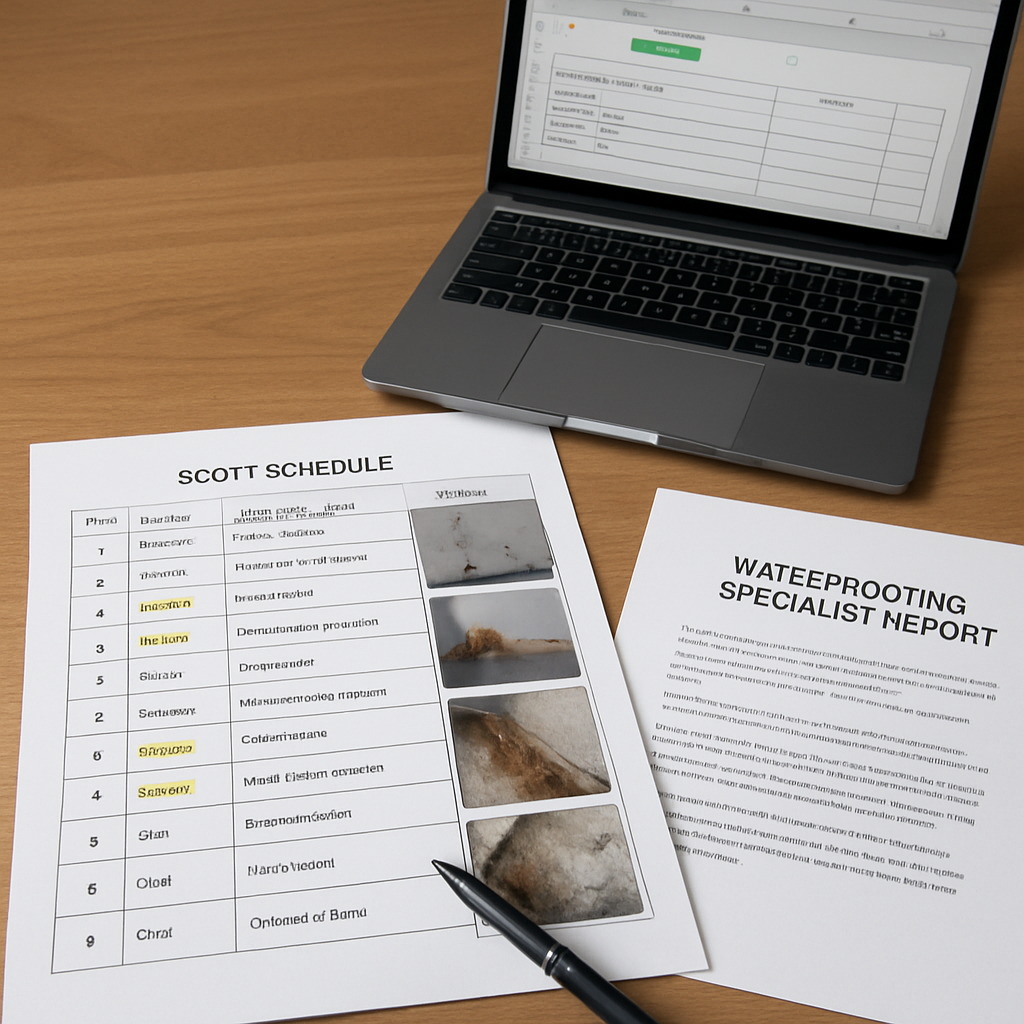
Anatomy of a Scott Schedule: column-by-column breakdown
Top line: A practical scott schedule template is a disciplined table where every column has a single purpose and strict data conventions. Use Excel for calculations and version control, Word for witness or affidavit-ready exports, and a printable PDF for filing with tribunals like NCAT.
Core columns and what to put in each
| Column | What to record and why |
|---|---|
| Item number | Sequential unique ID. Use numeric plus subline system (eg 4, 4.1) so references remain stable when items are added. |
| Location | Concise location string with level, room and photo reference (eg Balcony L2 NW). Helps tribunal and contractor find the defect. |
| Defect description | Plain-language one line description of the problem; avoid opinions. Save commentary for respondent comment column. |
| Contract/specification | If relevant cite the contract clause, Australian Standard, or manufacturer spec. Use code like AS4654-2 to avoid ambiguity. |
| Evidence reference | List exhibit IDs, photo IDs and report codes (eg Photos B1-B6; Report WTR-04-03-2025). Hyperlink in Excel to the PDF bundle where possible. |
| Remediation method | Concise scope of works for rectification. Prefer measurable actions (remove/replace/reseal) rather than vague phrases. |
| Estimated cost | Numeric value and basis (quote ID or schedule of rates). In Excel use a separate column for basis and a formula cell for contingency and totals. |
| Respondent comment | Space for the respondent to accept, dispute, or propose alternatives; preserve original wording and date-stamp entries. |
| Outcome/allocation | Final agreed or tribunal-ordered allocation and any conditions (eg partial credit, time to complete). |
Practical insight: One-line-per-defect is tedious but essential. Grouping several defects under a single line saves space but weakens evidentiary clarity and gives respondents an easy way to cherry pick costs. The tradeoff is administrative size versus legal defensibility.
Concrete example: Item 4 | Location Balcony L2 NW | Defect description Cracked tile and membrane failure with staining to ceiling below | Contract/spec AS 4654.2 | Evidence Photos B1-B6; Report WTR-04-03-2025 | Remediation method Remove tiles; replace membrane; re-tile; scaffold 2 days | Estimated cost $6,450 (QT-001 dated 05-03-2025) | Respondent comment Awaiting response | Outcome To be decided. This example shows the exact level of detail tribunals expect and how to link costs to a verifiable quote.
Judgment: In contested matters, tribunals and assessors give disproportionate weight to line-level evidence linkage. A clean scott schedule template with exhibit cross-references and quote IDs is often the difference between an accepted claim line and a rejected estimate. If you cannot produce a quote, be explicit about the estimation method.
Prefer Excel for active drafting (formulas, validation, hyperlinks), export a Word or PDF copy when finalising for filing. Keep the working Excel as the audit trail.
NCAT-specific formatting and filing guidance
Direct point: NCAT will treat a Scott schedule as useful only if each line item is traceable to a single, paginated exhibit inside your submission. Sloppy cross-references or external links are the fastest way to get a page sent back or ignored by a tribunal member.
File format, pagination and bundle structure
File format: submit a single bookmarked PDF bundle whenever possible. NCAT accepts electronic documents — check the current requirements on the NCAT site — but the practical expectation is a single, paginated PDF with bookmarks for easy navigation.
- Bookmarks and TOC: create a PDF bookmark tree: Scott Schedule, Expert Report(s), Photographs, Quotes, Specialist Reports.
- Pagination: continuous page numbers across the whole bundle; reference those page numbers in the schedule evidence column.
- Internal hyperlinks only: use links that jump to pages inside the submitted PDF bundle; do not rely on external cloud links.
- File size: keep the bundle < 25 MB for email transfers; use NCAT eFiling limits if filing online and compress photos where it does not damage evidentiary detail.
How to cross-reference a Scott schedule line to exhibits
Naming convention matters: use a consistent exhibit ID for every item — Photo B1, ExpertReportA, QuoteABC_05-03-2025 — and show that same ID in the schedule evidence column with the PDF page number and bookmark name.
Concrete example: For a balcony tiling failure, enter in the schedule evidence column: Exhibit 3 – Photo Balcony_B1.jpg (PDF p.14); Exhibit 5 – Waterproofing Report by XYZ Waterproofing dated 04-03-2025 (PDF pp.22-28); Quote – ABC Carpentry Q-123 dated 05-03-2025 (PDF p.35). When the tribunal opens p.14 they should see the exact photo referenced without searching.
| Item / Purpose | Example filename (in bundle) | How to cite in Scott Schedule |
|---|---|---|
| Photo – balcony crack | scott_Balcony_B1.jpg (embedded, PDF p.14) | Exhibit 3: Photo Balcony_B1 — PDF p.14 (bookmark Photos > Balcony) |
| Expert report | WaterproofingReport_XYZ_04-03-2025.pdf (PDF pp.22-28) | Exhibit 5: XYZ Waterproofing Report — PDF pp.22-28 |
| Contractor quote | Quote_ABC_05-03-2025.pdf (PDF p.35) | Exhibit 8: ABC Carpentry Quote Q-123 — PDF p.35 |
Trade-off to consider: a single, heavily bookmarked PDF is easiest for tribunal reading but can become large and slow to upload. If you split large specialist reports into a separate volume, show them in the bundle index and provide internal PDF links pointing to the separate volume; note NCAT case managers dislike submissions that force them to assemble files from multiple sources.
Practical judgment: judges and tribunal members do not reward clever formatting. Clear, plain exhibit IDs, consistent filenames, and page-number cross-references beat colour-coded or graphically fancy schedules every time. Prioritise traceability over aesthetics.
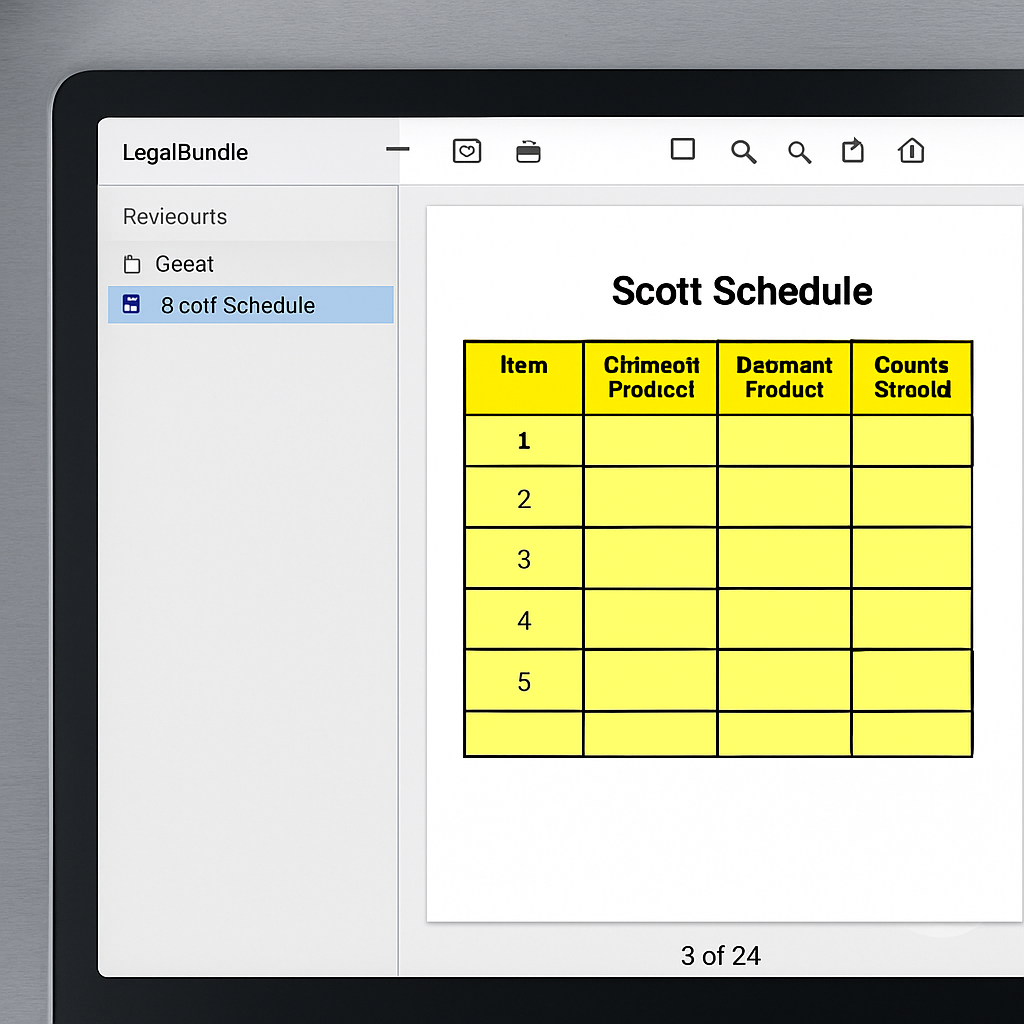
Next consideration: before filing, generate a bundle index that lists every exhibit, its filename, bookmark path and PDF page range; attach that index to the front of the bundle and include the same list in the Scott Schedule evidence column. This small discipline prevents most tribunal-formatting rejections.
Step-by-step instructions for completing the template
Start with evidence and an ID system. Before you open the Word or Excel file, collect dated photos, inspection notes, any specialist reports, and your cost sources. Assign each exhibit a short ID (for example B1–B6 for balcony photos, W1 for waterproofing report) and record those IDs in a cover spreadsheet so every Scott Schedule line refers to an authoritative exhibit.
Stepwise workflow
- Gather and name evidence: store files as
YYYYMMDD_Type_ID.ext(for example 20250304WaterproofReportW1.pdf). Use the same IDs in the schedule evidence column. - Create a master photo index: include photo number, viewpoint, date, and a one-line observation. Link these photo IDs in the schedule rather than long descriptions.
- One defect, one line: describe the defect in plain language, cite the specific location, and reference the contract clause or Australian Standard if relevant.
- State remediation method clearly: short phrase (remove and replace membrane; grout repair; timber replacement) and include access requirements if they affect cost.
- Attach cost basis: list contractor quote reference, date, and a short breakdown (labour, materials, access). Prefer written quotes over ballpark rates.
- Cross-reference exhibits: use the evidence column to list exhibit IDs and indicate which page numbers in the PDF bundle they appear on.
- Version and protect: save as
scott-schedule-template-v1.0.xlsxand lock formula cells; keep an unprotected audit copy with raw cost sources.
Practical trade-off: More line-item detail improves tribunal scrutiny but bloats your bundle. Be surgical: split complex systems (for example balcony membrane, tiles, and drains) into separate lines; avoid micro-splitting a single repair into dozens of tiny lines unless you have matching cost breakdowns.
Column-level tips
- Item number: keep sequential and do not reuse numbers after editing—use versioned suffixes if needed.
- Location: be specific (Balcony level 2 — north-west corner).
- Defect description: one short sentence, avoid technical jargon where a tribunal will read it.
- Evidence: list exhibit IDs and PDF page numbers, eg B1–B4; W1 (PDF p.12).
- Remediation method: include steps and estimated days on site.
- Estimated cost: show basis in parentheses, eg $6,800 (contractor quote Q#2 dated 04/03/2025).
- Respondent comment / outcome: keep this column for later — do not pre-fill with uncertain allocations.
Concrete example: Location: Balcony level 2 (north-west). Defect: Cracked tiles and membrane failure. Evidence: Photos B1–B6; Waterproofing report W1 (04-03-2025, PDF p.5). Remediation: Remove tiles, replace membrane, re-tile. Estimated cost: $6,800 (Contractor quote Q-02 dated 05-03-2025 — labour $3,200; materials $2,000; access and scaffolding $1,200; contingency $400).
| Column | Example entry |
|---|---|
| Item number | 1 |
| Location | Balcony level 2 — north-west |
| Defect description | Cracked tiles, membrane failure |
| Evidence | B1–B6; W1 (PDF p.5) |
| Remediation method | Remove tiles, replace membrane, re-tile |
| Estimated cost | $6,800 (Q-02 05/03/2025) |
Next consideration: after populating the schedule, run a quick audit: every line has at least one exhibit, a dated cost source, and a clear remediation method. If any line lacks these three elements, either supply the missing evidence or remove the line until you can substantiate it.
Construction worked example: leaking balcony and tiled area
Straight to the point: this is a real-world, tribunal-ready worked example showing how to translate inspection findings into discrete Scott Schedule line items, evidence links, and defensible costings for a leaking balcony with tiled finishes.
Site summary: Balcony level 2 outside master bedroom. Visible cracked tiles, grout loss, ponding, and membrane blisters behind tiles. Evidence attached: photos B1 to B6, inspection notes dated 04-03-2025, and a waterproofing specialist report by XYZ Waterproofing dated 04-03-2025.
Completed schedule excerpt
| Item | Location | Defect description | Evidence | Remediation | Estimated cost (AUD) |
|---|---|---|---|---|---|
| 1 | Balcony level 2 – tiled field | Cracked tiles and grout deterioration causing water ingress to membrane | Photos B1-B3; Inspection notes 04-03-2025 | Remove tiles, assess and replace membrane, re-tile with new tile adhesive and grout; allow scaffolding and waste removal | 8,450.00 |
| 2 | Balcony perimeter junction | Blistering and delamination of waterproofing at junction with door threshold | Photos B4-B5; XYZ Waterproofing report 04-03-2025 (Exhibit W1) | Remove threshold trim, replace flashing, extend membrane 150 mm into internal floor, reinstate threshold | 2,150.00 |
| 3 | Access and provisional testing | Evidence: contractor site notes and testing requirement | Contractor quote Q1; Testing report to follow | Core cut to confirm substrate condition and adhesion testing; provisional sum | 750.00 |
Practical insight: split remediation into logical trade packages. Separate membrane replacement from tiling so each cost is verifiable against contractor capability. In practice this prevents disputes where a tiler quotes low but refuses membrane work, or a waterproofing contractor excludes retiling.
Costing judgement: three written quotes were obtained: Q1 7,900, Q2 8,450, Q3 10,200. The schedule uses the median quote Q2 and documents why lower quote Q1 was rejected (no warranty offered) and higher quote Q3 included redundant structural works not supported by inspection. This rationale is what tribunals look for.
Limitation and contingency: the quoted scope assumes non-structural substrate. Hidden defects discovered during tile removal commonly increase cost by 20 to 50 percent. Add a labelled contingency line item and state the conditions that trigger it to avoid later disputes.
- Evidence linking tip: reference each quote as Q1, Q2, Q3 and include page numbers in the schedule evidence column so the tribunal can match figures to documents.
- Presentation tip: include labour and materials breakdowns in the appendix and paginate the PDF bundle with bookmarks for Photos B1-B6 and Exhibit W1.
- Negotiation trade-off: using the median quote makes the claim defensible; insisting on the lowest quote invites a credibility challenge from respondents.
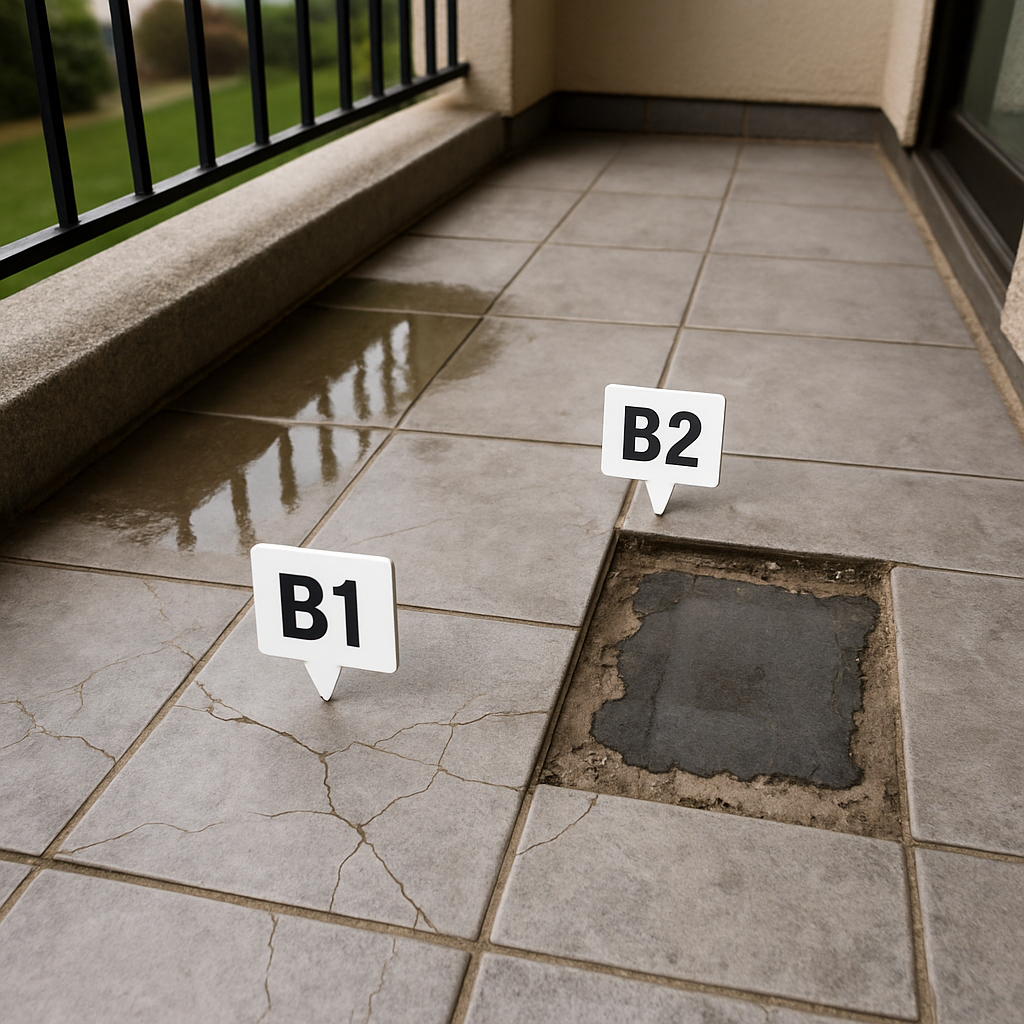
Next consideration: before finalising the schedule, instruct a core cut and adhesion test if the membrane condition is unclear; update the relevant line item with test exhibit IDs and adjust contingency and provisional sums accordingly.
Downloadable Scott Schedule template and completed example files
Files provided: Download the working files — scott-schedule-template.xlsx, scott-schedule-template.docx, scott-schedule-template.pdf, and a completed worked example scott-schedule-completed-example.xlsx — so you can edit, calculate, and produce a tribunal-ready PDF quickly.
Why we supply Word, Excel and PDF
Practical trade-off: Use Excel for bulk editing, formulas and automated totals; use Word where the schedule must sit inside a narrative expert report; use PDF for filing and court bundles. Excel keeps an auditable costing record but tribunals want a clean PDF with embedded exhibits.
Limitation to accept: Hyperlinks and external file paths are useful while you compile, but they often break once the document is converted or uploaded to tribunal systems. Always flatten and embed exhibits into the final PDF bundle before filing with NCAT — see the NCAT filing guidance at NCAT.
Practical editing features in the downloadable templates
- Excel workbook features: an Evidence sheet that maps Exhibit IDs to filenames, a Costs sheet with
=SUM()subtotals, and a hidden Change Log sheet that records author, date and summary of edits. - Word template features: preformatted table with fixed column widths and guidance text inside each cell; useful when an expert attaches the schedule as an annexure.
- PDF output guidance: bookmarked sections per 50 items, internal links from each line item to the exhibit page, and a printable cover sheet with filename and version.
Hands-on formulas and checks: Use =SUM(G2:G50) for totals; add a conditional formatting rule =ISBLANK($E2) to highlight lines missing an Evidence reference; create data validation lists for remediation method and status to keep entries consistent.
| Provided filename | Purpose / how to use |
|---|---|
| scott-schedule-template.xlsx | Primary working file — use this to edit items, run totals, and maintain the Evidence mapping sheet |
| scott-schedule-template.docx | Use for narrative annexures or where counsel prefers a Word attachment |
| scott-schedule-template.pdf | Printable, NCAT-ready format with sample bookmarks and page numbering |
| scott-schedule-completed-example.xlsx | Concrete worked example showing a leaking balcony: itemised defects, photo IDs B1-B6, three contractor quotes and chosen estimate |
Concrete example: A homeowner used the Excel template to record 18 defects, linked each line to photo IDs in the Evidence sheet, calculated totals with formulae, then exported to PDF and used Adobe Acrobat to attach the exhibits and create bookmarks. The tribunal bundle submitted included one flattened PDF named NCAT_Bundle_Applicant_2025-04-02.pdf with clear cross-references from schedule lines to exhibit pages.
Software vs DIY: Dedicated Scott Schedule software and practice-management tools add audit trails and version control, but they cost money and produce proprietary exports. For most NCAT matters the Excel+PDF workflow is faster, more transparent, and easier for respondents and tribunal staff to review — provided you lock formulas and keep a visible change log.
Always produce your final filing as a single, flattened PDF with exhibits embedded and bookmarks; keep the editable Excel file as the auditable source and supply it only if requested.
RespondentName_ScottSchedule_v1.0_YYYY-MM-DD.pdf. Include version in both the document header and the file properties so case managers and opposing parties know which iteration they have.Next consideration: Use the Excel source as the record of how costs were calculated, lock key cells before sharing, and export a bookmarked PDF for filing. If you plan to publish the template on your site, add DownloadAction schema so search engines recognise the files — the schema instructions are in the schema section of this guide.
Common mistakes, quality checklist, and quick troubleshooting
Key point: The most expensive errors are not calculation mistakes but poor evidence linking and file management. A clean scott schedule template is useless if the tribunal or the other side cannot verify which photo, quote, or page supports each line item.
Common mistakes and why they matter
- Loose evidence references: referencing Exhibit 3 without a page or filename forces case managers to hunt. Always cite filename and page number.
- Multiple defects on one line: collapses responsibility and destroys auditability. One defect equals one line item.
- Unstated cost basis: using an estimate without saying whether it is a contractor quote, schedule of rates, or calculator output weakens credibility.
- Dependence on external hyperlinks: online links break or are excluded from the bundle. Use hyperlinks for convenience but provide static bundle references as primary citations.
- Inconsistent units or measurements: metres vs square metres or different currency treatment lead to disputes and adjustments.
Trade-off to accept: hyperlinks improve reviewer navigation but are not a substitute for formal exhibit references. When time is tight, produce a bookmarked PDF bundle and put the exhibit filename and page number in the evidence column as the authoritative reference.
Quick troubleshooting steps
- If the schedule is returned as unclear: convert to a single PDF, add bookmarks, and add a cover index mapping each line item to exhibit filename and page number. Use NCAT practice directions for pagination expectations.
- If costs are challenged as speculative: attach / embed the original contractor quote or rate sheet; if unavailable, annotate the basis in the cost column and add a contingency percentage.
- If Excel formulas miscalculate totals: lock formula cells, add visible subtotals, and include an audit column showing the cost source for each line.
- If hyperlinks break in the bundle: remove reliance on external URLs and replace with internal PDF bookmarks; keep a backup zip of the original evidence files named to match the schedule.
| Problem observed | Likely cause | Immediate fix |
|---|---|---|
| Reviewer cannot locate photo | Poor filename or no page reference | Rename photos using a consistent pattern eg BAL-01_B1.jpg and cite BAL-01 page 12 in evidence column |
| Costs called speculative | No written quote or unclear basis | Attach quote or add a brief cost basis note and show calculation in an adjacent column |
| Totals do not match supporting detail | Hidden rounding or formula errors | Show line-level maths in a separate column and remove rounding until final total |
Concrete example: A homeowner lodged a schedule claiming rectification of balcony membrane failure using a scott schedule template free download. The tribunal returned it because the evidence column listed Photo 5 without a filename or page number. The fix was straightforward: rebuild the PDF bundle, add bookmarks, rename photos to BALB1.pdf, and update the schedule evidence column to read BALB1.pdf page 8.
Judgment: In practice, attention to file hygiene and transparent cost provenance wins more disputes than cosmetic wording. Spend the time on exhibit filenames, page references, and a visible cost basis; that reduces tactical challenges and speeds case management.
Consolidation and website implementation plan for Awesim
Immediate action: choose one pillar URL (for example /resources/scott-schedule-template) and make it canonical. Implement 301 redirects from the four existing Awesim scott schedule pages to that URL within the first deployment window to stop splitting link equity and search signals.
Structure and content mapping
Consolidation rule: preserve distinct user intent as sub-sections, not separate pages. Keep worked examples, NCAT filing guidance, downloadable files and schema on the pillar, and convert former standalone pages into anchor-linked subsections or appendices. This retains long-tail value while concentrating authority for the primary keyword scott schedule template.
- Map old URLs to new sections: document each old URL, target section on the pillar, and redirect type (301).
- Preserve high-performing content: if a page ranks for a specific query like scott schedule template excel, migrate that content into an H3 subsection titled scott schedule template excel and 301 redirect.
- Update internal linking: change service pages, report pages and blog posts to link to the pillar with descriptive anchor text such as Download the scott schedule template.
Practical limitation: a blunt merge loses some secondary keyword rankings temporarily. Avoid deleting content—merge with careful redirects and keep unique guides (worked example, NCAT checklist) as indexed anchors. In practice this preserves most traffic and accelerates recovery.
Frequently Asked Questions
Practical reality: questions about the scott schedule template cluster around three decisions — which file format to use, how to prove costs, and how to link evidence so a tribunal can follow the claim.
Common quick answers
- Is a ready-made template acceptable: Yes if it follows tribunal numbering and evidence-linking conventions; customise any free template so it includes exhibit IDs and a cost provenance column.
- Which format to use: Use Excel for calculations and version control, Word for editing narrative responses, and produce a final PDF with bookmarked exhibits for filing.
- Are hyperlinks OK: Electronic submission is accepted by many tribunals but ensure hyperlinks point to files inside the submitted PDF bundle or disclosed file list — check NCAT practice directions first.
Trade-off to accept: convenience versus auditability. Free scott schedule template downloads speed up drafting but often lack a clear cost source field. That makes them fragile under scrutiny — a quick template will save time now and cost credibility later.
Costing and evidence FAQs that matter in practice
Key point: a scott schedule calculator or scott schedule software can automate totals and contingency, but tribunals care about provenance — always record which contractor quote or industry guide produced each figure, the date, and any assumptions.
Concrete example: A homeowner uses a scott schedule template free downloaded as scott-schedule-template.xlsx, links photos B1–B6 in the evidence column, and attaches contractor quote Q1 dated 02-04-2025. When the respondent disputes labour rates, the claimant can point to Q1 and the cost provenance column showing supplier, date, and line-item breakdown.
| File type | Best practical use |
|---|---|
| Excel (.xlsx) | Calculations, formulas, SUM/subtotal rows, version history, scott schedule calculator integration |
| Word (.docx) | Editing narrative responses, respondent comments, printing formatted schedules |
| PDF (.pdf) | Final filing, bookmarked exhibits, reliable pagination for tribunal bundles |
| Online tools / software | Team collaboration and template libraries; verify export matches tribunal formatting |
Common misunderstanding: people treat templates like a tick-box. In practice the schedule is persuasive evidence only when every line has a verifiable cost source and a precise exhibit link. Templates are scaffolding, not proof.
Related Posts

Liquidated Damages in Construction: How NSW Contracts Work
What Are Liquidated Damages in Construction? Why Contracts Use Them How Liquidated Damages Work in NSW Building Contracts Standard Contracts
Read More »
Building Inspector Cost in NSW: What You Should Budget
Why Building Inspector Costs Vary So Much in NSW The Different Types of Building Inspector Reports and What They Cost
Read More »
Weep Hole Covers: Standards, Sizing, and Defect Signs
What a Weep Hole Cover Does Australian Standards and Spacing Requirements Bushfire Zones Add a Second Requirement Sizing: Matching the
Read More »